

Your always-on agent, with a whole team behind it.
Your agent gets to know how you work, keeps going while you're away, and hands back finished work. When a job needs more hands, it brings in the right agents. You get your time and attention back.
Work done your way, often before you ask.
Your agent doesn't wait for a prompt. In the background it watches what matters to you, follows up on loose ends, and brings you work, questions and decisions when they need you. The more you work together, the more it learns what good looks like to you.
A customer's renewal date was three days out and nobody had replied to their last email. The agent noticed, pulled the account history, drafted the reply and the renewal quote, and sent both after a one-tap approval.
Our own agents ship our product every day.
Here's what work looks like when agents are always working beside the team.
- A bug report landsThe agents open a ticket, find the cause, test the fix on their own computer and hand back a pull request while the team keeps talking to customers.
- A design arrivesThe agents build it and host a working preview link before the next stand-up.
- Every MondayAn agent pulls numbers from several sources onto one page, writes the weekly report and posts it to the team channel.
- A run fails at 3amThe agent that owns it tries the fix first. If it can't finish, it sends the right engineer a voice note on WhatsApp.
A team of agents, today. It builds itself.
Your agent is never on its own. It works with every other agent in your workspace, and the team grows to fit the job.
- Agents call any other agent and get the answer straight back.
- Big jobs are split into a plan and handed to specialists, step by step.
- Agents create new agents when a job needs a role nobody holds yet.
- Agents suggest the connections a teammate needs, and you approve them.
- Every request goes to the agent best suited for it, and follow-ups stay with the agent that answered.
The right intelligence, at the right cost, for every job.
You're not tied to one AI company. Your agents run on the latest models from Anthropic, OpenAI, Google, Mistral, DeepSeek, Z.ai and Moonshot, at whatever intelligence level each job needs.
Pick the level
Four levels: low, medium, high or max. Set per agent and per job.
Mix models in one job
The strongest models plan and review. Faster, cheaper ones do the routine work.
Never stuck on one vendor
If a provider goes down, work moves to another one you allow.
Your region, your rules
Choose the regions your AI may run in. No model outside them is ever used.
Every AI call is billed to the workspace that asked for it, call by call. You see what each job cost, and you only pay for the intelligence it needed.
Their own computer. Never yours.
Every project's agents get an always-on computer of their own. They build, test and ship there, browse the internet like a person, and staff laptops stay out of reach.
- Build, test and deploy code with built-in CI/CD.
- Host websites and apps, with a preview link for every change.
- Browse the internet in a real browser. Anything that submits, pays or opens a new site waits for your approval.
- Pair your own computer and they can work on your desktop too, with every action approved before it runs.
- Every job runs in its own isolated space, so nothing collides.
- Test agents safely, with no risk to anyone's machine.
All your data on one page, with an agent on top.
Agents work on the data you already have, through the apps and APIs you connect. Views bring data from different sources together on a single page. Then you hand it to an agent.
- Ask: get answers about everything on the page.
- Act: have the agent do the work on it.
- The same agent, memory and approvals as in chat.
Call it, text it, or send a voice note.
Talk to your agents the way you already talk. Wherever you reach them, they carry the whole conversation with them.
Team chat, built in
Channels, DMs and threads where your people and your agents work together. No extra messaging subscription needed.
The tools you already use
Slack, Microsoft Teams and Discord, if your company lives there.
Your phone
WhatsApp and Telegram, by text or voice note, wherever you are.
Voice
Hop on a voice call to talk something through, and get replies as text or voice.
Hand it the work and forget it.
Agents finish what they start.
- Schedule one-off tasks for later, repeating work and periodic runs.
- Turn repeated work into Charms, automations anyone on the team can read and run.
- Watch each piece of work from start to finish.
- If something breaks, try to fix it first.
- If it still can't finish, tell the right person by text or voice, on the channel they use.
- Run batches across many items, or chain agents so one's output feeds the next.
Agents that learn your company and write their own skills.
Every job makes the next one better. Your agents remember, share what they learn, and teach themselves new skills.
They write their own skills
After a complex job, agents write down what worked as a skill they can reuse. Changes to an agent's own instructions wait for your approval.
They know the company
Your knowledge base, brand voice, design system and project history, all at hand.
They remember people
What they learn one to one and in group chats comes back where it belongs: in the group, with that person, or when a job needs it.
They share it
Skills belong to the workspace, not one person. Install more from the Marketplace.
An assistant on one person's machine belongs to that person. These agents belong to the workspace. The memory is shared, the skills are the team's, and when someone leaves, nothing walks out with them.
You're always in control.
Agents move fast. Your team keeps the judgment.
Built-in safeguards
- Agents work on their own computer, never on staff machines.
- Passwords and keys are used for them, never shown to them.
- Agents calling agents run inside strict limits.
Access and permissions
- You choose which apps and data each agent can reach.
- Agents can do only what the person behind them is allowed to do.
- Guests get no agent powers.
Approvals
- Sensitive actions wait for a one-tap approval.
- Code ships as a pull request for a human to review.
- Nothing merges or publishes on its own.
Agents can still make mistakes, so always review consequential work. How the safety gates work
A real job for every agent.
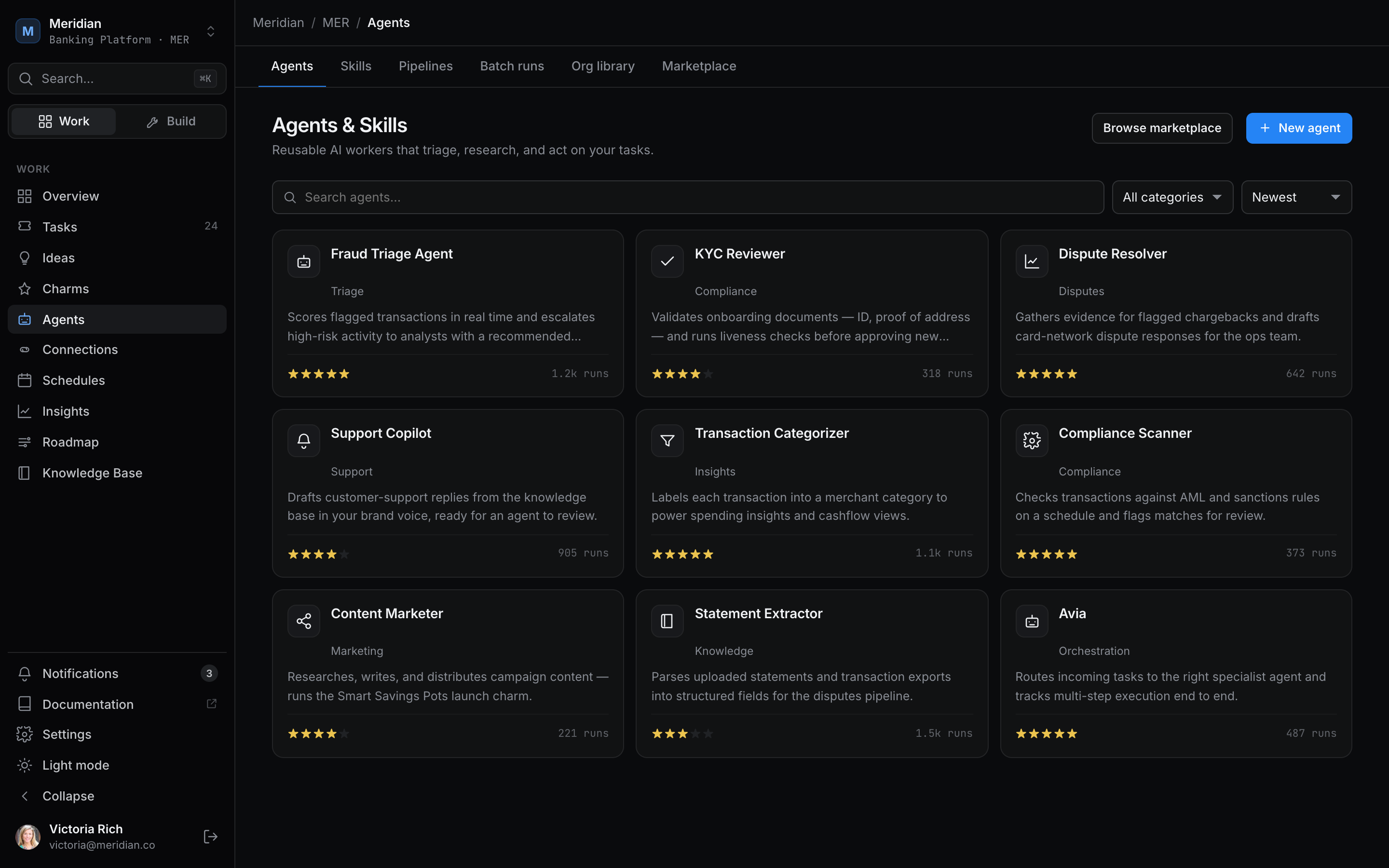
Give agents roles across the whole company, or install ready-made ones from the Marketplace.
Engineer
Takes a ticket, writes and tests the code, and opens the pull request.
Support
Drafts replies from the knowledge base and escalates what it can't answer.
Finance
Chases invoices, reconciles spend and flags what looks wrong.
Sales
Researches accounts, updates the CRM and prepares follow-ups.
Operations
Runs the weekly reports, watches the systems and keeps projects on schedule.
Compliance
Reads each change for risk and raises it before anything reaches a customer.
Marketing
Writes in your brand voice and makes the decks, docs and images to go with it.
From the Marketplace
Install ready-made agents and skills built by others.
See how JuhJuh compares across 18 capabilities.
Of the products below, only JuhJuh gives your team a place to chat with its agents and plan the work, without paying for a separate messaging app or project planner. And with the right licence, you can run it on your own servers.
Swipe the table to see every product.
| Capability | JuhJuh | OpenAI dots | xAI Grok Bot | Meta Muse | Hermes Agent |
|---|---|---|---|---|---|
| Always on, working in the background | Works for you around the clock, even when nobody is asking | Always on, with background research | Works 24/7 with your laptop closed | Long-running, proactive tasks | Runs unattended |
| A team of agents that call each other | Agents call any agent and split big jobs across specialists | One dot today; teams of dots are planned | Several Bots share a thread and hand off work | Not published | A roster of bots that hand work to each other |
| Creates new agents when a job needs one | Yes, with the role and connections the job needs | Not published | Runs helper subagents; you create the Bots | Not published | Spawns helper subagents; you create and clone bots |
| Any model, any intelligence level | The latest models from Anthropic, OpenAI, Google, Mistral, DeepSeek, Z.ai and Moonshot, with the level chosen per job to fit the cost | OpenAI models only | xAI models only | Meta models only | Any provider, model set per bot |
| Self-hosted open-weight models | Yes, on self-hosted JuhJuh: open-weight or local models | OpenAI's hosted models only | xAI's hosted models only | Meta's hosted models only | Yes, any compatible endpoint, including local models |
| Its own computer | An always-on computer per project, isolated per job | Its own cloud computer and browser | One cloud computer shared by all your Bots | A private cloud computer with a browser | Bring your own: local machine, container or cloud sandbox |
| Builds, tests and hosts apps | Built-in CI/CD, hosting and preview links | Not published | Not published | Not published | Not published |
| Your data from many sources, on one page | Views combine sources; Ask questions or Act on them | Works through 4,000+ connected apps | About 8 built-in connectors plus custom ones | Shopping, email, calendar and more | 60+ tools plus custom ones |
| Team chat with your agents, included | Channels, DMs and threads for people and agents, no extra subscription | Inside ChatGPT, or through your paid Slack or Teams | Group threads inside the Grok Bot app | A personal app, plus WhatsApp | Uses third-party chat apps |
| Project planner, included | Tickets, board, roadmap and goals built in | Not included | Not included | Not included | Not included |
| Messaging apps | Slack, Teams, Discord, WhatsApp and Telegram | Slack and Teams; texting coming soon | Its own apps; Slack support unclear | WhatsApp; Telegram in preparation | About 19 platforms, including all five |
| Voice calls and voice notes | Voice calls, plus voice notes from WhatsApp and Telegram | Voice calls in ChatGPT | Not published | Phone calls reported; voice mode coming | Voice mode and voice memos |
| Schedules and automations | One-off, repeating and periodic runs, plus Charms automations | Works toward your goals 24/7 | Routines on a schedule | Scheduled tasks reported | Scheduling in plain language |
| Fixes what breaks, then tells the right person | Tries the fix, then reaches the right person by text or voice | Messages you with questions and decisions | Not published | Not published | Not published |
| Writes its own skills | Yes, governed by your workspace | Learns from your feedback | Learns a task after you show it once | Not published | Creates and improves its own skills |
| Company knowledge and shared memory | Knowledge base plus memory from one-to-one and group chats | Learns your personal preferences | Bots share context with each other | Not published | Personal memory and conversation search |
| Approvals before sensitive actions | One-tap approvals and human review on every pull request | Custom rules and automatic action review | Require approval or always allow | Allows, blocks or asks you | Command approval |
| Run it on your own servers | Yes, with the right licence | Cloud only | Cloud only | Cloud only | Yes, open source (MIT) |
Based on each company's public announcements and documentation as of October 2026. "Not published" means we could not find a public statement either way. Products change quickly; tell us if something here is out of date.
Start with your agent.
Name it, connect your apps, and let it introduce itself. The team grows from there.
We'll keep improving our agents as we learn what makes them most useful to you. That's the juju.