Instructions
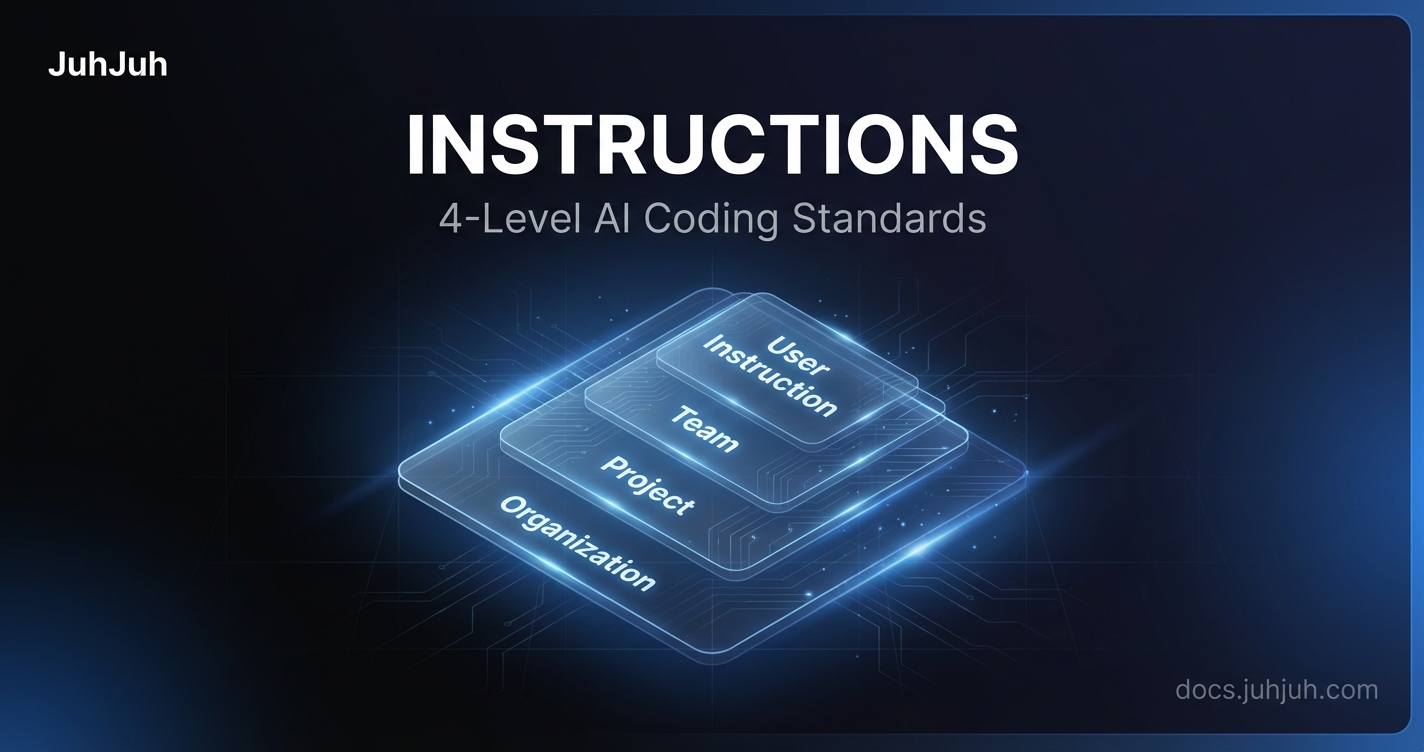
Define coding standards at org, project, team, and user levels. Control how AI agents write code with a 4-level instruction hierarchy.
Instructions are the rules your AI agents follow when executing tickets. Write them once at the right level. Every execution respects them automatically. Coding standards, naming conventions, architectural boundaries, security policies, and anything else that defines how your team ships code.
The four levels
Instructions live at four levels, each more specific than the last. Think of them like CSS specificity: the most specific level wins when there is a conflict. See Core Concepts for how this fits into JuhJuh's broader knowledge hierarchy.
Organization
Organization instructions apply to every project, every team, and every user in your org. Set global standards here that should never vary.
Good candidates for org-level instructions:
- Coding style and formatting rules (e.g., "use 4-space indentation," "always use type annotations")
- Security policies (e.g., "never log secrets," "sanitize all user input")
- Architectural principles (e.g., "all API endpoints must return JSON," "use service layer pattern")
- Language and framework preferences
Edit from Organization Settings > Instructions.
Project
Project instructions apply to a single repository. They override org-level instructions when there is a conflict, so you can tailor behavior per codebase.
Good candidates for project-level instructions:
- Framework-specific conventions (e.g., "use class-based views," "prefer HTMX over JavaScript")
- File structure rules (e.g., "place all services in
services/," "tests mirror the source tree") - Naming conventions specific to the project
- Dependency rules (e.g., "never add new packages without approval")
- Lint and format commands the AI should run
Edit from Project Settings > Instructions.
Team
Team instructions apply to members of a specific team within a project. When a team member executes a ticket, their team's instructions layer on top of the project and org instructions.
Good candidates for team-level instructions:
- Squad-specific conventions (e.g., "the payments team always includes idempotency keys")
- Component ownership rules (e.g., "only modify files in
src/billing/") - Review preferences specific to the squad
Edit from Project > Teams > [Team Name] > Instructions. Requires team lead or admin permissions.
User
User instructions are personal. They apply only to your own executions and override everything else. Use them for individual preferences that do not affect the rest of the team.
Good candidates for user-level instructions:
- Preferred code style variations within team norms
- Verbose or minimal commit messages
- Personal workflow preferences
Edit from Profile > Instructions.
How instructions merge
When JuhJuh executes a ticket, it assembles a single instruction file by merging all four levels together. The merge follows a strict order. Each layer adds its rules on top of the previous one.
Merge order
- Codebase instructions. JuhJuh reads any instruction files already in your repository root (e.g.,
CLAUDE.md,.claude/CLAUDE.md, orAGENTS.md). These form the base layer, so your repo-level conventions are always included. - Organization instructions. Global standards from your org settings.
- Project instructions. Repo-specific rules from project settings.
- Team instructions. Squad-level conventions for each team the executing user belongs to.
- Codebase repository instructions. Per-repo instruction files from connected code repositories.
- User instructions. The executing user's personal preferences.
Each section is clearly labeled in the final merged file (e.g., "Organization Instructions (Acme Corp)," "Project Instructions (backend-api)"). You can always trace where a rule came from.
Conflict resolution
When two levels define conflicting rules, the more specific level wins. If your org says "use tabs" and your project says "use spaces," the project wins. If your team adds "use 2-space indentation" on top of that, the team wins.
User instructions are the most specific and override everything. Use this carefully. If your personal preference contradicts a team standard, your executions follow your preference, not the team's.
What to write
Instructions are plain text. Write them the way you would write a contributor guide. Be direct and specific.
Effective instructions:
- Always use type annotations on all function signatures
- Use eager loading for all queries that touch relations to avoid N+1 queries
- Never return bare error responses without a response body
- Run make lint before committing
- Place new API endpoints in the api/ directory
Less effective instructions:
- Write good code
- Follow best practices
- Be careful with the database
The AI interprets instructions literally. "Always acquire a row lock when reading a record you intend to modify" gives it a concrete rule. "Be careful with concurrency" does not.
How agents use instructions
When you create an agent and attach it to a ticket, the merged instructions are injected into the agent's prompt alongside its own agent-level instructions. Hook agents, autonomous agents, and conversational agents all receive the same instruction hierarchy.
Agent-level instructions (written on the agent itself) layer on top of the merged hierarchy. They are the most specific of all, overriding even user-level instructions for that agent's execution context. You can give an agent precise behavioral rules without affecting the broader instruction set.
Automatic context
Beyond the instructions you write, JuhJuh automatically injects additional context into each execution:
- Agent hints. Based on the ticket type and execution mode, JuhJuh recommends specific agent capabilities. A backend ticket gets different hints than a frontend or documentation ticket.
- Sandbox directives. Security boundaries that restrict what the AI can access during execution.
- Ticket context. The ticket's title, description, type, and any linked resources.
Focus your instructions on conventions, standards, and preferences specific to your organization. JuhJuh handles the rest.
Cache and invalidation
JuhJuh caches the merged instruction file for each user-project combination to keep executions fast. The cache invalidates automatically whenever you edit instructions at any level: org, project, team, or user. No manual action needed.
If you update instructions between executions, the next execution picks up the changes immediately.
Permissions
| Level | Who can edit |
|---|---|
| Organization | Org admins and owners |
| Project | Project admins and owners |
| Team | Team leads and superusers |
| User | The user themselves |
Privacy
User-level instructions include a visibility toggle. By default, your instructions are private. Turn on Show instructions in your profile privacy settings to let other org members see your personal rules.
Tips
- Start at the org level. Set your non-negotiable standards once. Every project inherits them.
- Be specific at the project level. Framework conventions, file structures, and tooling commands belong here.
- Use team instructions sparingly. They are useful for squad-specific ownership rules, not for duplicating project instructions.
- Keep user instructions minimal. If you find yourself writing extensive user instructions, the project or team level probably needs updating instead.
- Review periodically. As your codebase evolves, instructions that made sense six months ago might be outdated. Stale rules produce stale code.
- Include commands. If you want the AI to run
make lintorpytest -xafter changes, say so explicitly in the instructions.
Related
- Agents: create and configure the AI agents that follow these instructions
- Projects: where project-level instructions live
- Prompt Templates: reusable prompt patterns that complement instructions
- Brand Voice: control tone and writing style alongside behavioral rules
- Core Concepts: the knowledge hierarchy that governs how instructions merge
- Tickets: where instructions take effect during execution