Core Concepts
Understand JuhJuh's core building blocks: tickets for work tracking, prompts for AI instructions, executions for code generation, and safety gates for control.
Tickets in. Pull requests out. These are the building blocks of that pipeline.
Organizations
An organization is the top-level container. It holds projects, team members, prompt templates, agent instructions, and configuration. Each organization gets its own subdomain (e.g., your-team.juhjuh.com) and its own knowledge hierarchy.
Projects
A project maps to a code repository. It defines:
- The source repository and connection credentials
- Branch configuration and protection rules
- Project-level agent instructions
- Service dependencies with other projects
One organization can have multiple projects. JuhJuh maintains each repository in a managed workspace and keeps it in sync with the remote.
Tickets
Tickets are the unit of work. Each ticket represents a specific change: a bug fix, feature, refactor, or improvement. Tickets can be:
- Created manually in JuhJuh
- Synced from external issue trackers (Jira, Linear, and others)
- Generated from idea capture
Ticket lifecycle
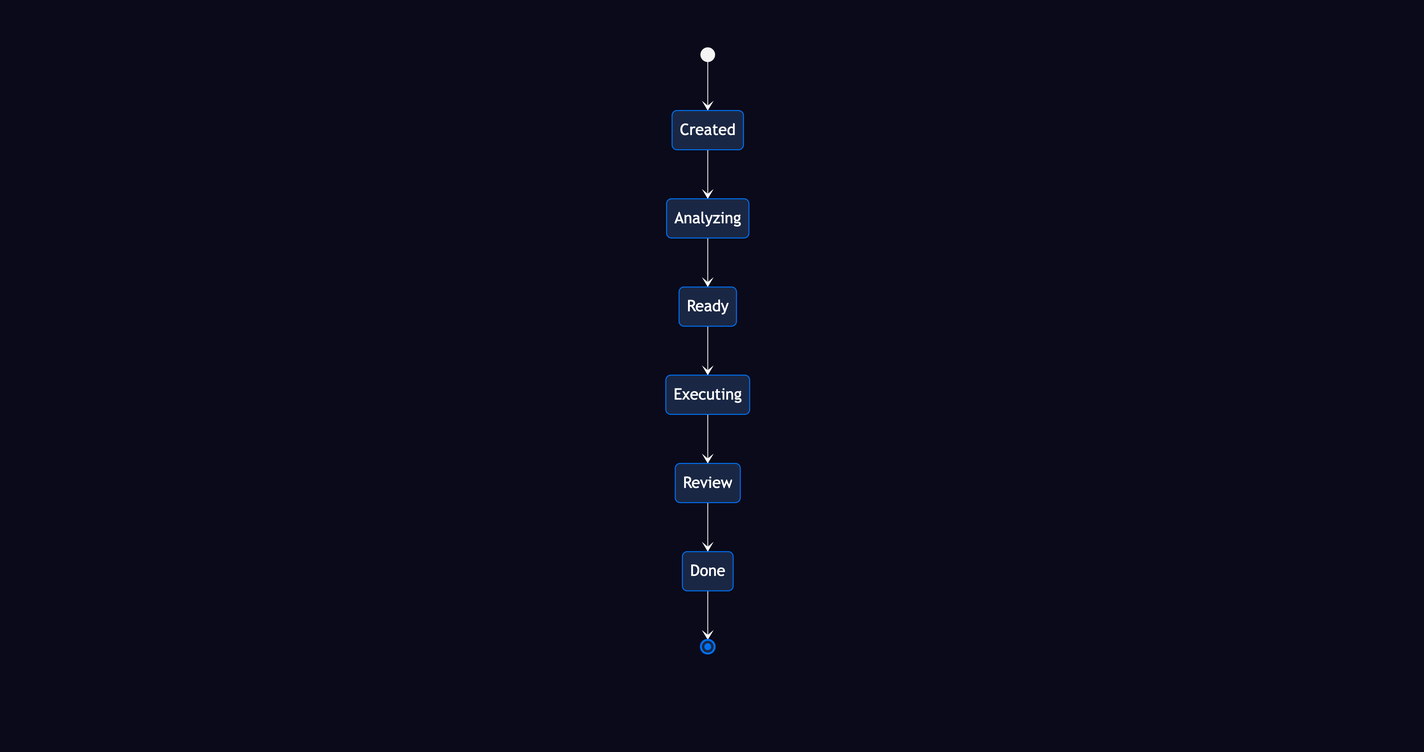
- Created. The ticket exists but has not been analyzed.
- Analyzing. JuhJuh classifies complexity and identifies affected files.
- Ready. Analysis complete, queued for execution.
- Executing. AI agents write code in an isolated branch.
- Review. Changes are ready for human diff review.
- Done. Changes approved and merged.
Prompts
Prompt templates are versioned, reusable instructions that tell the AI how to approach a ticket. JuhJuh ships built-in templates for common tasks. You can create custom ones tailored to your codebase and standards.
What they do:
- Variable interpolation. Templates reference ticket data, project context, and analysis results.
- Version history. Every change creates a new version. View diffs or roll back at any time.
- Cross-project sharing. Templates can be shared across projects within an organization.
Instructions
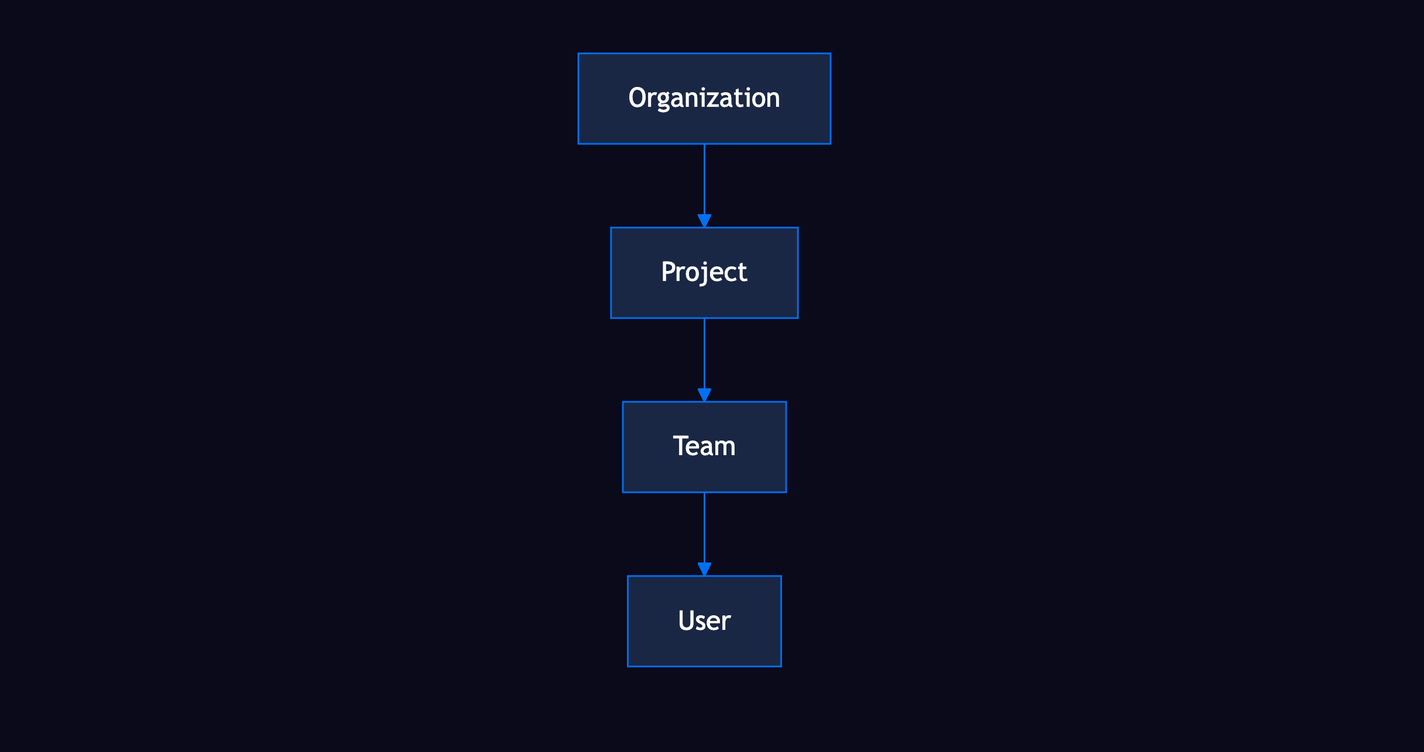
Instructions cascade from organization to project to team to individual, like CSS specificity. More specific levels override general ones. They shape AI behavior across all executions without editing individual prompts.
Set organization-level instructions for global standards. Override at the project level for language-specific conventions. Override at the team level for squad preferences.
Executions
An execution is a single run of an AI agent against a ticket. The sequence:
- JuhJuh selects the appropriate prompt template
- Context is gathered from the codebase and knowledge hierarchy
- The AI agent works in an isolated branch. Your main branch is never touched.
- Changes are committed and a full diff is generated
- The execution completes with a reviewable result
Each execution tracks tokens consumed, cost, duration, and every file modified.
The five safety gates
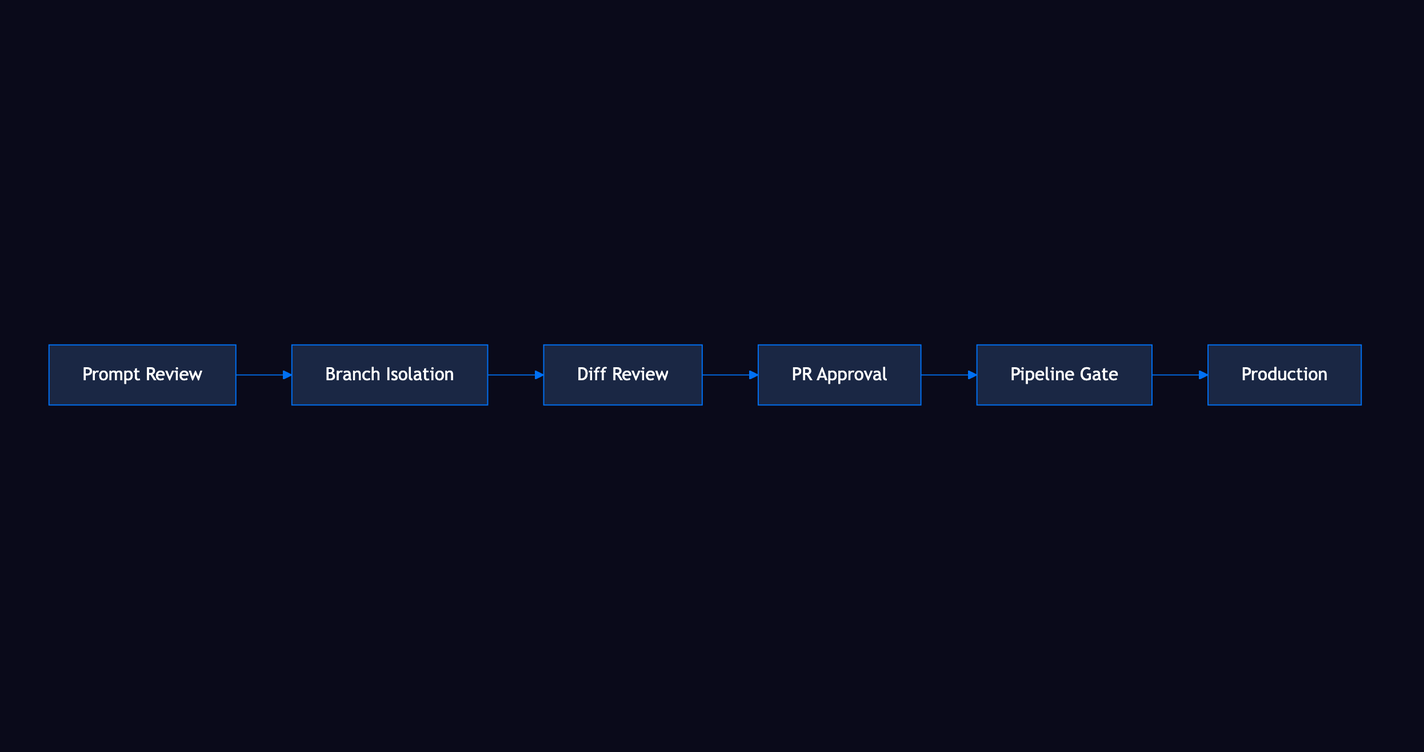
Every change passes through five independent layers before it reaches production. The ticket lifecycle describes how each gate fits into the overall flow:
- Prompt review. Inspect and edit the generated prompt before execution starts.
- Branch isolation. All AI work happens in a dedicated branch, never on main.
- Diff review. Line-by-line human review of every change the AI made.
- PR approval. Approved diffs become structured pull requests for team review.
- Pipeline gate. Your CI/CD pipeline runs. Merge is blocked on failure.
No shortcuts. No unreviewed code in production.
Auto-play
Auto-play runs child tickets under an Epic or Story sequentially, passing context from each completed ticket to the next. See Automation for all automation features. The second ticket knows what the first one changed. The third builds on both.
Start auto-play from a parent ticket. Stop it at any point to review results before you continue.
Knowledge hierarchy
Knowledge in JuhJuh flows through four levels. The Pages feature serves as your team's knowledge base:
- Organization. Global standards, architectural decisions, cross-project patterns.
- Project. Repository-specific conventions, dependencies, file structure.
- Team. Squad-level preferences and specialized context.
- User. Individual instructions and overrides.
Each level inherits from the one above and can override specific rules. Every execution makes the next one smarter.
Related
- Getting Started, set up your first organization and project
- Tickets, full ticket lifecycle, statuses, and execution details
- Prompt Templates, create and manage the instructions that drive executions
- Instructions: configure cascading AI behavior rules
- Automation, auto-play, scheduling, and hands-off execution
- Pages, build your team's knowledge base